
Table of Contents
Dell Pro Max Ultra 16 Notebook MC16250 UAE: Frequently Asked Questions
Over the last few years, more companies have begun using more powerful mobile workstations such as the Dell Pro Max Ultra 16 Notebook MC16250 to do jobs like Engineering, AI Development, Content Creation, Architecture, and data-intensive applications.
Businesses have been looking for a mobile workstation with desktop-based performance, and the MC16250 is that machine. With its professional-grade processing capability, professional graphics, and enterprise-quality reliability, it meets their needs.
This document will answer questions that are frequently asked about the Dell Pro Max Ultra 16 Notebook MC16250 and will enable businesses and professionals to make an informed decision on which workstation is best suited for their respective jobs.
Where Can I Buy the Dell Pro Max Ultra 16 Notebook MC16250 in the UAE?
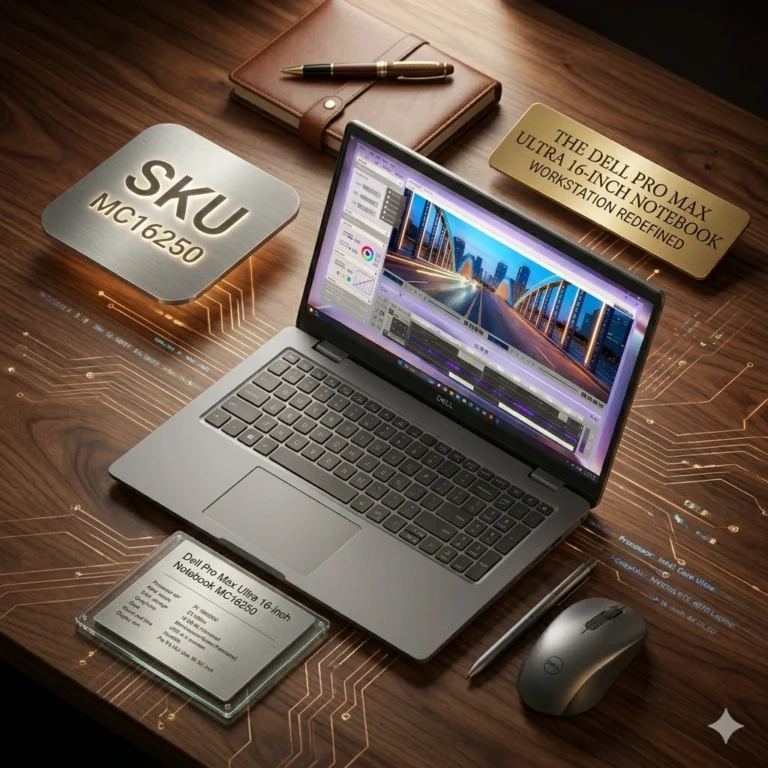
Dell Pro Max Ultra 16 Notebook Workstation (MC16250)
د.إ1.00
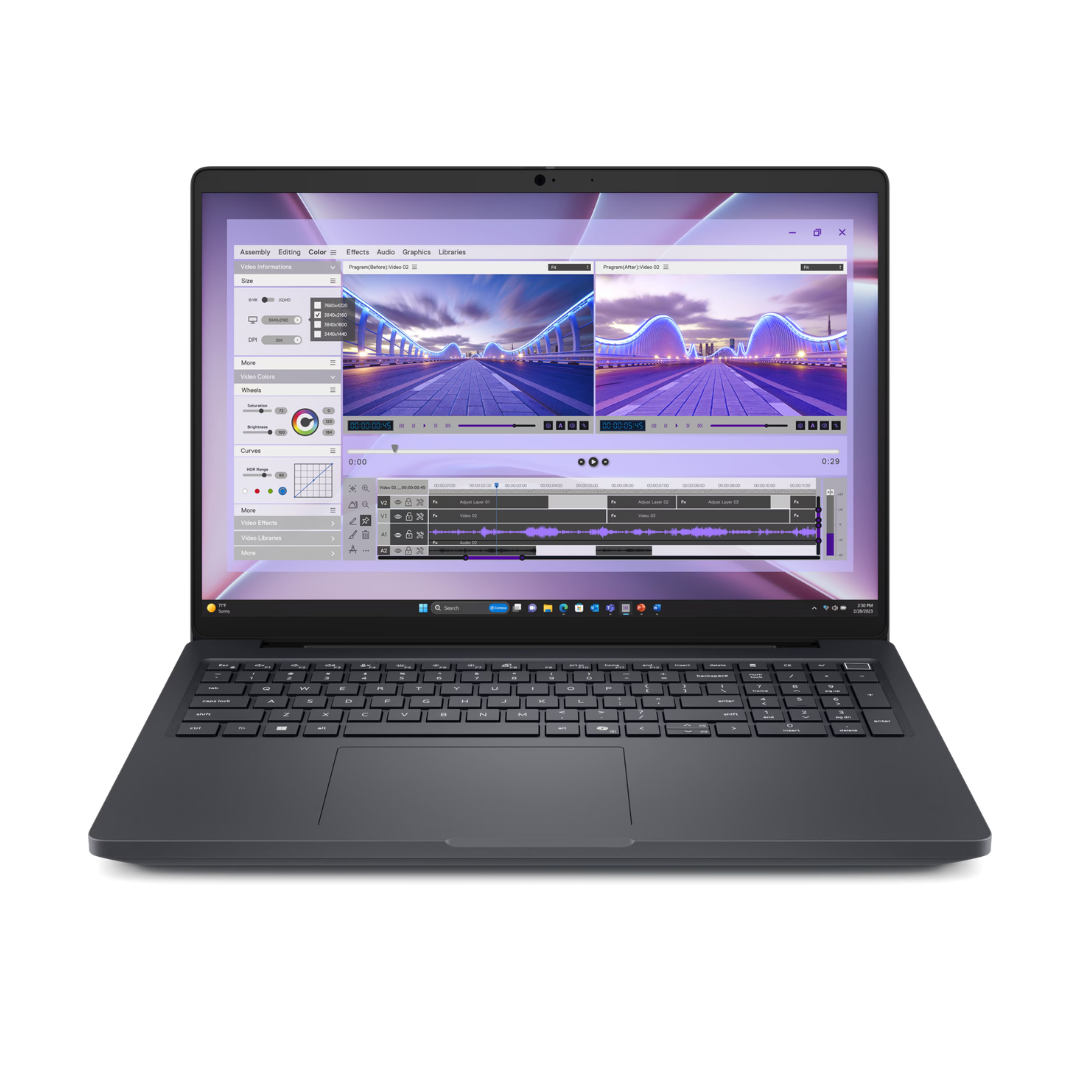
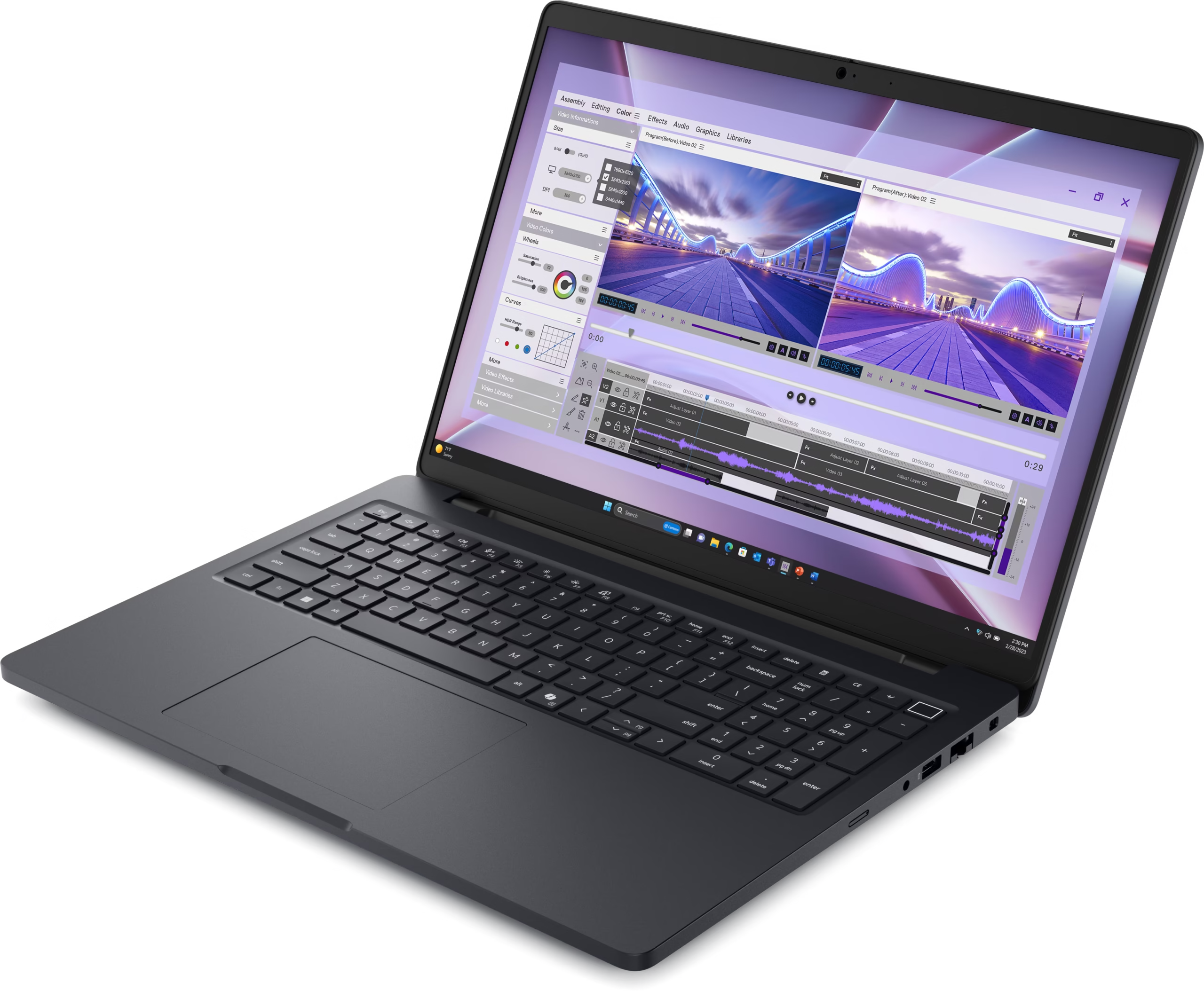
The Dell Pro Max Ultra 16 Notebook Workstation (MC16250) UAE is a powerful, mobile business laptop designed to provide enterprise users, engineers, graphic designers, and hybrid teams with uncompromised processing power, high-resolution visuals, and seamless multitasking.
Technical Specifications:
- Model Name: Dell Pro Max Ultra 16 Notebook Workstation
- Part Number / MPN: MC16250 (Clean Base MPN)
- Display Screen: 16.0-Inch High-Resolution Anti-Glare Display (16:10 Aspect Ratio)
- Processor Family: High-Speed Multi-Core Intel Processor (Core / Core Ultra Series)
- System Memory: High-Bandwidth DDR5 Memory Options (Expandable for Heavy Workflows)
- Storage Technology: Ultra-Fast M.2 PCIe NVMe Solid State Drive (SSD)
- Graphics Acceleration: Professional Discrete GPU Acceleration for 3D & Creative Apps
- Audio & Video: Integrated High-Definition Audio, Stereo Speakers & HD Web Camera
- Keyboard & Touchpad: Full-Size Backlit Business Keyboard with Precision Touchpad
- I/O Ports & Connectivity: USB Type-C / Thunderbolt Ports, USB 3.2 Type-A, HDMI, Audio Combo Jack
- Wireless Networking: Wi-Fi 6E High-Speed Wireless & Bluetooth 5.3
- Battery Technology: Long-Life ExpressCharge Capable Battery with High-Wattage AC Adapter
- Operating System: Windows 11 Pro / Ubuntu Linux
- Warranty: Commercial Business Warranty Support
Key Features & Business Benefits:
- 16-Inch High-Resolution Display: The expansive 16:10 16-inch screen provides increased vertical viewing area for complex spreadsheets, code timelines, and 3D rendering viewports.
- High-Speed Multi-Core Processing: Effortlessly run intensive engineering software, virtual machines, and data analytics without system slowdowns.
- Professional Workstation Performance: Dedicated graphics and high-speed DDR5 memory accelerate real-time video editing, CAD drafting, and graphic design tasks.
- All-Day Battery Life with ExpressCharge: Work productively throughout the day with long battery runtime and fast-charging capability.
- Comprehensive Enterprise Connectivity: Connect seamlessly to external 4K displays, docking stations, and high-speed office networks via USB-C, Thunderbolt, and HDMI ports.
- Commercial Grade Durability: Engineered with a robust commercial chassis tested for heat dissipation and daily enterprise mobility.
Ideal Applications & Target Workspaces:
- Architectural Engineering, CAD Drafting & 3D Modeling
- Software Development, DevOps & Database Administration
- Graphic Design, 4K Video Editing & Digital Content Creation
- Corporate Executives, Hybrid Workers & Business Mobility
What’s in the Box:
- Dell Pro Max Ultra 16 Notebook Workstation (MC16250)
- High-Wattage AC Power Supply & Regional Power Cord
- Quick Setup Guide & Commercial Warranty Documentation
Corporate B2B Procurement & Volume Pricing: Need B2B volume pricing for Dell Pro Max Ultra 16 notebooks (MC16250), laptop docking stations, or corporate fleet deployments in Dubai or Abu Dhabi? Contact Janasys Technology for corporate B2B quotes and fast UAE delivery.
Description
The Dell Pro Max Ultra 16 Notebook Workstation (MC16250) in UAE is a high-performance 16-inch commercial mobile workstation engineered for corporate professionals, CAD designers, software developers, and 3D animators. Featuring a 16.0-inch anti-glare display, high-speed multi-core processor, professional discrete graphics, expandable DDR5 memory, PCIe NVMe SSD storage, and all-day ExpressCharge battery life, it delivers workstation-class computing across Dubai & Abu Dhabi.
Additional information
| Display | 40.6cm (16”), Non-Touch, 16:10, FHD+ 1920×1200, 60Hz, WVA, Anti-Glare, 300 nit, 45% NTSC, 40.6cm (16”), Touch, 16:10, FHD+ 1920×1200, 60Hz, WVA, Anti-Glare, 300 nit, 45% NTSC, No Pen Support, 40.6cm (16”), Non-Touch, 16:10, QHD+ 2560×1600, 120Hz, WVA, Anti-Glare, 300 nit, 100% sRGB, ComfortView Plus (coming soon) |
|---|---|
| Processor | Intel® Core™ Ultra 5 235H vPro® (18 MB cache, 14 cores, 14 threads, up to 5.00 GHz, 45W), Intel® Core™ Ultra 7 255H (24 MB cache, 16 cores, 16 threads, up to 5.10 GHz, 45W), Intel® Core™ Ultra 7 265H vPro® (24 MB cache, 16 cores, 16 threads, up to 5.30 GHz, 45W), Intel® Core™ Ultra 9 285H vPro® (24 MB cache, 16 cores, 16 threads, up to 5.40 GHz, 45W) |
| Memory | 16 GB: 2 x 8 GB, DDR5, 5600 MT/s, SoDIMM, dual-channel, 32 GB: 2 x 16 GB, DDR5, 5600 MT/s, SoDIMM, dual-channel, 32 GB: 2 x 16 GB, DDR5, 6400 MT/s, CSoDIMM, dual-channel, 64 GB: 2 x 32 GB, DDR5, 6400 MT/s, CSoDIMM, dual-channel |
| Storage | 256 GB SSD, 512 GB SSD, 1 TB SSD, 2 TB SSD |
| Graphics | Intel UHD Graphics, NVIDIA® RTX™ PRO 500 -Blackwell Generation graphics , 6 GB GDDR7, NVIDIA® RTX™ PRO 1000 -Blackwell Generation graphics , 8 GB GDDR7, NVIDIA® RTX™ PRO 2000 -Blackwell Generation graphics , 8 GB GDDR7 |
| Operating system | Ubuntu, Windows 11 Pro |
| Warranty | 1Yr ProSupport Next Business Day Onsite Service, 3yr ProSupport Next Business Day Onsite Service, 5 yr ProSupport Next Business Day Onsite Service |
Related products
-

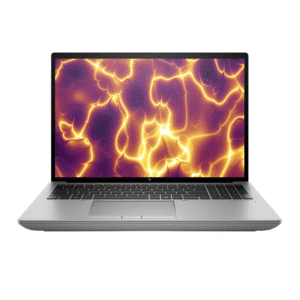
HP ZBook Power
د.إ1.00 Select options This product has multiple variants. The options may be chosen on the product page -

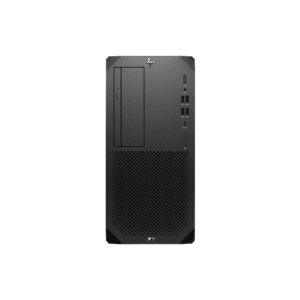
HP Z2 Tower (C85MTES / C85MXES / D5ZB4ES / D5ZB5ES)
د.إ1.00 Select options This product has multiple variants. The options may be chosen on the product page -

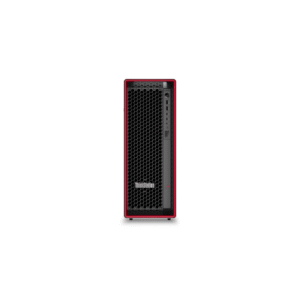
ThinkStation P5 Tower
د.إ1.00 Select options This product has multiple variants. The options may be chosen on the product page -

HP ZBook Fury
د.إ1.00 Select options This product has multiple variants. The options may be chosen on the product page
The MC16250 is a Dell Pro Max Ultra 16 notebook available from authorized enterprise IT suppliers and workstation specialists throughout the UAE.
Businesses looking for customized configurations, volume procurement, or professional consultation can purchase this product from Janasys (UAE). Janasys is also an exceptional provider of workstation solutions targeted to engineering firms, architects, AI developers, government organizations, educational institutions, and corporate enterprise customers.
What Are the Specifications of the Dell Pro Max Ultra 16 Notebook MC16250?
| Specification | Details |
|---|---|
| Display | 16-inch Professional Display |
| Processor | Intel Core Ultra Series |
| Graphics | NVIDIA RTX PRO Graphics Options |
| Memory | Up to 64GB DDR5 RAM |
| Storage | Up to 2TB PCIe SSD |
| Operating System | Windows 11 Pro / Ubuntu |
| Connectivity | Wi-Fi, Bluetooth, Thunderbolt, USB-C |
| Security | Enterprise Security Features |
| Use Cases | CAD, AI, Rendering, BIM, Engineering |
How Much RAM Does the Dell Pro Max Ultra 16 Notebook Support?
The Dell Pro Max Ultra 16 Notebook supports a memory of up to 64GB of DDR5 RAM.
A high amount of memory allows professionals to:
- Run multiple virtual machines
- Work on large BIM projects
- Process large datasets
- Execute machine learning workflows
- Work with complex CAD assemblies
- Edit high-definition (HD) video.
64GB of RAM gives engineers and data scientists the ability to comfortably perform many tasks simultaneously and to run applications that require a lot of computer power.
Does the Dell Pro Max Ultra 16 Come with NVIDIA RTX Graphics?
Yes,
The Dell Pro Max Ultra 16 Notebook is configured with NVIDIA RTX PRO professional graphics, making it capable of handling CAD applications, 3D renderings, product designs, architectural visualizations, AI models, video production, and animations.
With RTX technology, Dell is able to provide professional software with dedicated hardware acceleration and compatibility with industry-standard applications.
Is the Dell Pro Max Ultra 16 Suitable for AI Workloads?
Absolutely.
The Dell Pro-MAX Ultra 16 has been specifically designed for today’s AI workloads and can accommodate machine learning workloads.
AI Applications Supported:
- Machine Learning
- Deep Learning
- Data Science
- Computer Vision
- Large Dataset Analysis
- AI Model Testing
- Edge AI Development
The combination of Intel Core Ultra processors and NVIDIA RTX professional graphics cards will allow faster training of models, inference processing of models, and experimentation with AI models.
What Processor Options Are Available in the Dell Pro Max Ultra 16 Notebook?
The Dell Pro-MAX Ultra 16 ships with the latest advancements in Intel Core Ultra processors.
Features of these processors include:
- AI Acceleration
- Multitasking Performance
- Power Efficiency
- Security
- High Speed Content
- Creation Performance
Intel Core Ultra processors have been specifically optimized for the types of workloads you find in professional environments, including AI, graphics, engineering simulations, and enterprise productivity.
Workstation Laptop Questions
What Are the Best Mobile Workstations for Engineers?
Some Workstations That Are Good For Engineers, Including In-Area of Workstation, Are As Follows:
1. Dell Pro Max Ultra 16 Notebook MC16250
2. Dell Precision Series Workstations
3. HP ZBook Series Workstations
4. Lenovo ThinkPad P Series Workstations
5. HP Fury Mobile Workstations
Dell Pro Max Ultra 16 Notebook MC16250 Is Appealing to Me Most, Because It Has:
1. AI Ready Functionality
2. Professional Graphics
3. Enterprise Reliability
Which Laptop Is Good for CAD and 3D Modeling?
For Professional 2D/3D CAD Modeling And 3D Rendering, Workstations Need To Have These Requirements:
1. A Professional Grade GPU
2. A High-Capacity RAM
3. A Fast SSD Hard Drive
4. A Powerful Multi-Core Processor
All Of These Characteristics And Attributes Are Present In The Dell Pro Max Ultra 16, Making It The Best Choice Of All The Workstations That Can Be Used To Work With AutoCAD, SolidWorks, CATIA, Inventor, Fusion 360, and Rhino 3D.
What Is the Best Workstation Laptop for Architects?
Systems for architects generally require the ability to work with:
o BIM work processes
o Projects developed with Revit
o 3D rendering software
o Architectural visualization
The Pro Max Ultra 16 from Dell will suit an architect’s requirements very well due to its RTX graphics, immense memory capacity, and the workstation’s architecture.
Which Laptop Should I Buy for Professional Video Editing?
In terms of working in video editing, the Pro Max Ultra 16 will enable:
o Faster rendering
o GPU-accelerated rendering
o High resolution editing
o Multi-layering timelines
o AI-driven creative processes
This computer will perform well with the following applications:
o Adobe Premiere Pro
o DaVinci Resolve
o After Effects
o Final Cut alternatives
What Are the Top Workstation Laptops for Machine Learning?
You should consider the following top-ranked workstations for machine learning:
- The Dell Pro Max Ultra 16
- Dell Precision Series
- Lenovo ThinkPad P Series
- HP ZBook Fury
- HP ZBook Power
The Dell Pro Max Ultra stands out from the rest of the list because it has an architecture designed for AI and NVIDIA’s powerful RTX Pro graphics cards.
Which Dell Laptop Is Best for Engineering Students?
Students studying Engineering typically require an affordable laptop that meets the requirements of software like:
- MATLAB
- AutoCAD
- SolidWorks
- Revit
- Python Development Tools
This makes the Dell Pro Max Ultra 16 a future-proof option, allowing you to perform academically and professionally over many more years than you would typically expect from your current laptop.
Industry-Specific Use Cases
What Laptop Is Recommended for AutoCAD and SolidWorks?
Reasons to recommend the Dell Pro Max Ultra 16 include:
1. Certified Professional Graphics
2. Large Memory Capacity
3. Stable Workstation Performance
4. Fast Project Loading Times
Which Mobile Workstation Is Best for BIM Software?
BIM professionals working with:
- Autodesk Revit
- ArchiCAD
- Navisworks
- Bentley Systems
can benefit from the Dell Pro Max Ultra 16’s powerful workstation capabilities.
What Laptop Can Handle Large Revit Projects?
To complete large Revit projects, professionals will need:
1. CPU Performance
2. Professional Video Card Acceleration
3. Large RAM Capacity
The Dell Pro Max Ultra 16 was designed specifically for professional architects to use in architectural workflows.
What Is a Good Laptop for AI Development and Data Science?
To develop AI and perform data science, people who work in these industries will need:
• Graphics Processing Unit (GPU) acceleration.
• An artificial intelligence-capable processor.
• Large amounts of memory available on their computer for AI applications.
• Fast Solid State Drive Storage.
The Dell Pro Max Ultra 16 has all the capabilities required for each of the above items.
Which Laptop Is Suitable for Rendering and Animation Work?
Animation and rendering professionals using the following software will benefit from RTX Acceleration and Workstation Class Reliability with a Dell Pro Max Ultra 16.
- Blender
- Maya
- 3ds Max
- Cinema 4D.
Comparison Questions
Dell Pro Max Ultra 16 vs Dell Precision Series
| Feature | Dell Pro Max Ultra 16 | Dell Precision |
|---|---|---|
| AI Optimization | Excellent | Good |
| Modern Architecture | New Generation | Traditional Workstation |
| RTX Graphics | Yes | Yes |
| Mobility | Excellent | Excellent |
| Enterprise Features | Yes | Yes |
What Are Alternatives to the Dell Precision Workstation?
Popular alternatives include:
- Dell Pro Max Ultra 16
- HP ZBook Fury
- HP ZBook Power
- Lenovo ThinkPad P1
- Lenovo ThinkPad P16
Is the Dell Pro Max Ultra 16 Worth Buying?
Yes.
For professionals involved in:
- Engineering
- Architecture
- AI development
- Machine learning
- Data science
- Content creation
the Dell Pro Max Ultra 16 delivers strong long-term value.
Which Is Better: Dell Pro Max Ultra 16 or HP ZBook?
The “Dell Pro Max Ultra 16” and “HP ZBook” are two high-end workstations.
The following feature lists are categorized into primary features:
“Del Pro Max Ultra 16”
- AI-enabled,
- Intel Core Processors (Latest Generation) Processor Technology
- Enterprise Integration.
“HP ZBook”
- Compatible (with existing) HP Infrastructure,
- Specific ISV-certified Workflows.
Dell Pro Max Ultra 16 vs Lenovo ThinkPad P Series
Both product lines serve the needs of professional users.
Benefits of choosing a Dell Workstation:
- AI-enhanced Architecture,
- Enterprise Ecosystem,
- State of the Art Design.
Benefits of using a Lenovo Workstation:
- Well-known experience using (Lenovo) Keyboard,
- Workstation Offerings Available in Many Variants.
A user’s needs depend on personal preferences as well as the user’s workflow requirements.
Buying Intent Questions
What Is the Best Workstation Laptop Under AED 10,000?
The Dell Pro Max Ultra 16 is a viable option for professional users who require workstation-calibre performance at a reasonable price based on the specific configurations and pricing of the machine.
Where Can I Buy Dell Workstation Laptops in the UAE?
You can purchase Dell Workstation laptops from the following sources:
- Dell Authorized Partners
- IT Suppliers to Businesses
- Specialists in Workstations
- Corporate Procurement Sources
Janasys has a comprehensive range of Dell Workstations available to Business and Professional Users in the UAE.
Who Is an Authorized Dell Workstation Reseller in Dubai?
Dell Authorised partners and IT providers in the Dubai Enterprise space offer: Configuration recommendations, Volume purchasing, Technical assistance, and After Sales Service.
What Are the Best Business Laptops for Engineering Firms in the UAE?
Some of the best choices from these suppliers are: Dell Pro Max Ultra 16, Dell Precision Series, HP Z Book Series, and Lenovo Thinkpad P Series
Engineering firms enjoy professional-quality GPUs, Enterprise Security, and Long-Term Reliability.
Why Choose the Dell Pro Max Ultra 16 Notebook MC16250?
The Dell Pro Max Ultra 16 includes:
✓ AI-ready design
✓ Intel Core Ultra processors
✓ NVIDIA RTX graphics
✓ Up to 64GB DDR5 RAM
✓ Enterprise-level security
✓ Reliable professional workstation
✓ Optimum for CAD and BIM applications
✓ Data science/machine learning performance
✓ High-performance for content creation
If you’re a professional in the UAE looking for a top-of-the-line mobile workstation with advanced features for future use, see the Dell Pro Max Ultra 16 Notebook MC16250.